
What's New in Volitude
A lot of what we build at Volitude starts with the same question: what would actually help you learn a language through reading?
Over the past month, we've been listening closely to your feedback. You told us you wanted a way to actively practice the words you've been picking up from stories. You told us the audio experience needed better controls. And you told us that highlighting felt too coarse to be genuinely useful while following along.
So that's exactly what we've been working on.
If you've been following along with our recent updates, these changes build directly on the vocabulary tracking and story narration features we introduced earlier - making Volitude a more complete language learning app, one that combines reading short stories with active recall and listening practice.
Practice the words you're learning
Last month, we introduced vocabulary progress tracking - the ability to see which words you've encountered while reading stories. It was a step forward, but it left a gap:
"I can see the words I've learned, but how do I actually practice them?"
Reading is a powerful way to build vocabulary, but reading alone isn't always enough to move words into long-term memory. Active recall - the kind where you have to produce a word from memory rather than just recognise it - is what really cements vocabulary.
That's why we've added a new practice feature.
The new practice page gives you two ways to review your vocabulary:
- Continue learning - Practice words that are still "in progress". The ones you've started encountering but haven't fully mastered yet.
- Refresh memory - Review words you've already completed, so they don't slip away over time.
Each practice session presents a sentence from a story you've read, with one word removed. You'll see the missing word in English, and your job is to type it in the target language.
If you're not sure of an answer, you can skip the word - or if you get it wrong, the app reveals a multiple-choice selection instead. This keeps the practice session moving without becoming frustrating.
Getting a word correct on your first try counts toward word mastery, giving you a clear sense of which words you truly know and which ones still need work.
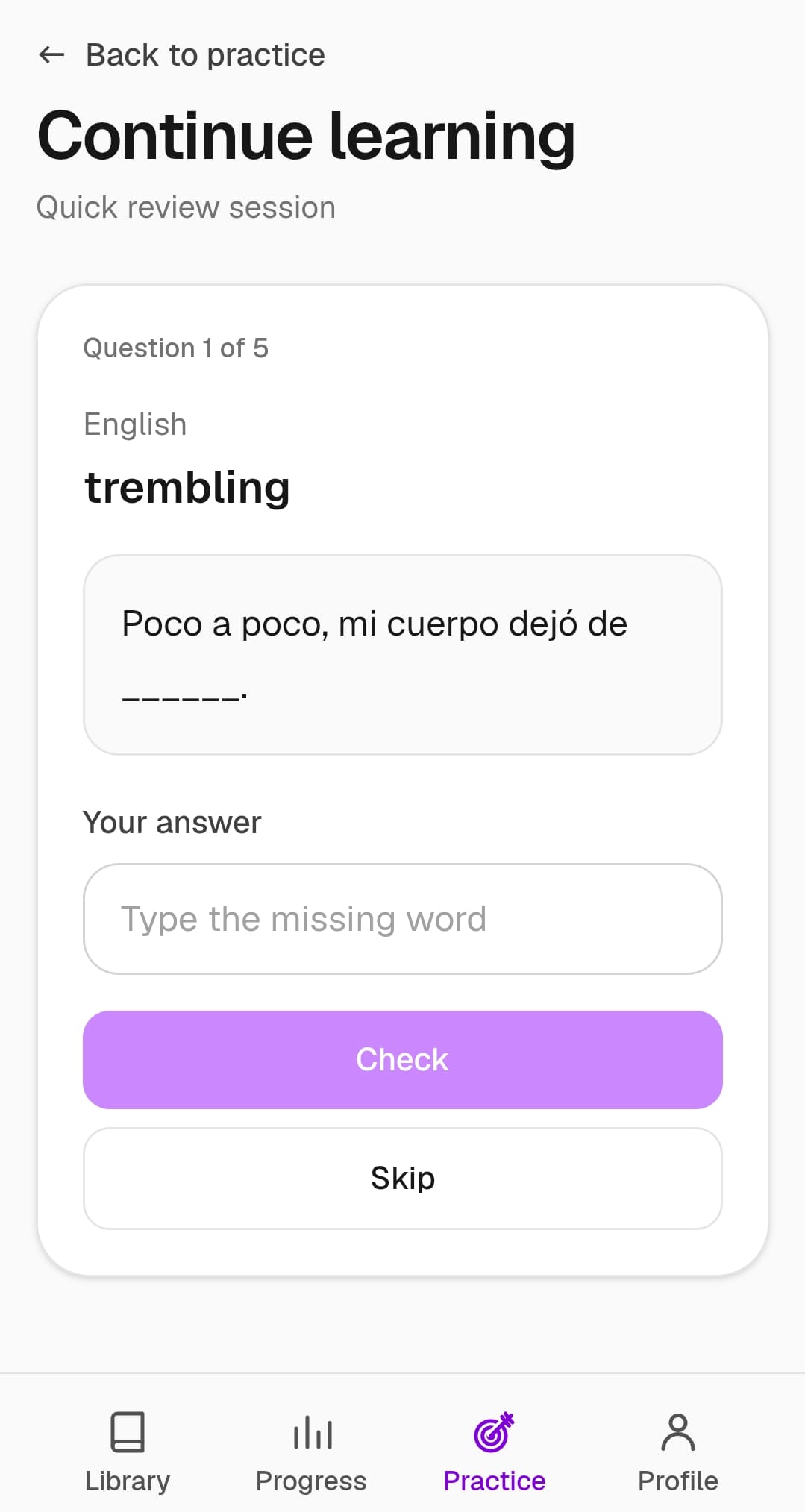
Practice becomes available once you have at least four tracked words that are either in progress or completed - so it unlocks naturally as you read more stories and build up your vocabulary.
For learners who want to go beyond passive reading and actively reinforce what they've learned, this bridges the gap between exposure and retention.
A better listening experience
Another theme that came through clearly in feedback was audio. Volitude's text-to-speech narration has always been a core part of the reading experience - hearing the language spoken aloud while you read is one of the most effective ways to improve pronunciation and listening comprehension.
But the controls were basic, and the highlighting didn't feel precise enough.
We've rebuilt both.
New audio controls
The old text-based Play, Pause, Resume, and Stop buttons have been replaced with a clean, icon-based control bar:
- Skip back 5 seconds - Jump back to catch something you missed
- Play / Pause toggle - One button, one tap
- Stop - Reset playback to the beginning
- Skip forward 5 seconds - Move ahead if you're already comfortable with a section
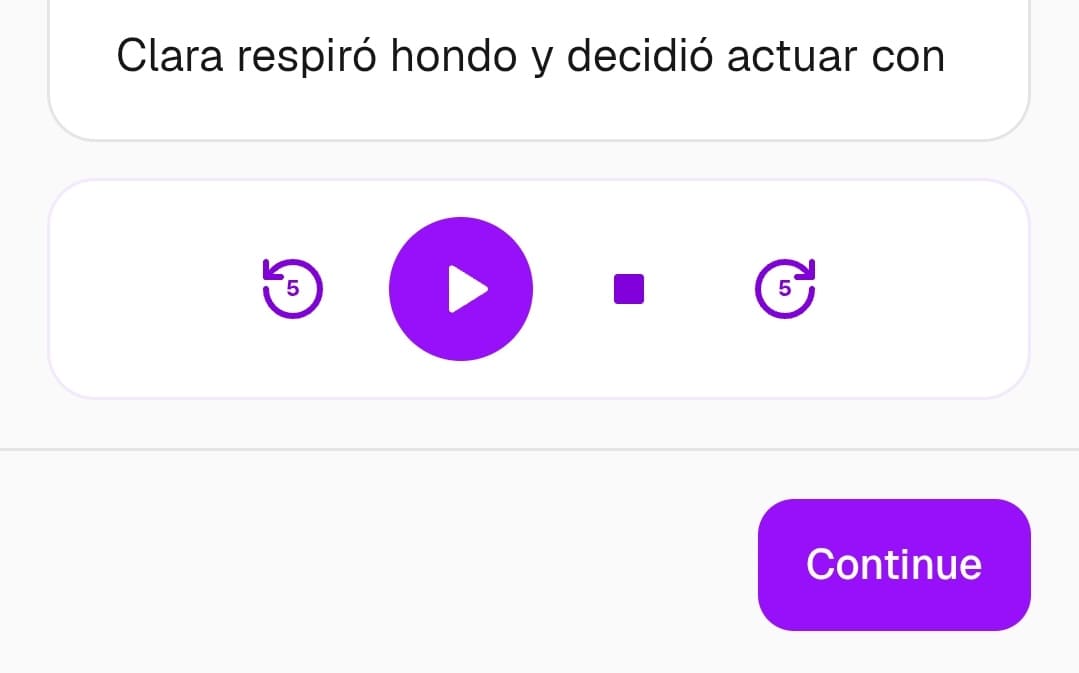
We've also added a small but important detail: when you tap a word to translate it while audio is playing, playback automatically pauses. No more scrambling to hit pause before the narration moves on - the app handles it for you.
Sentence-level highlighting
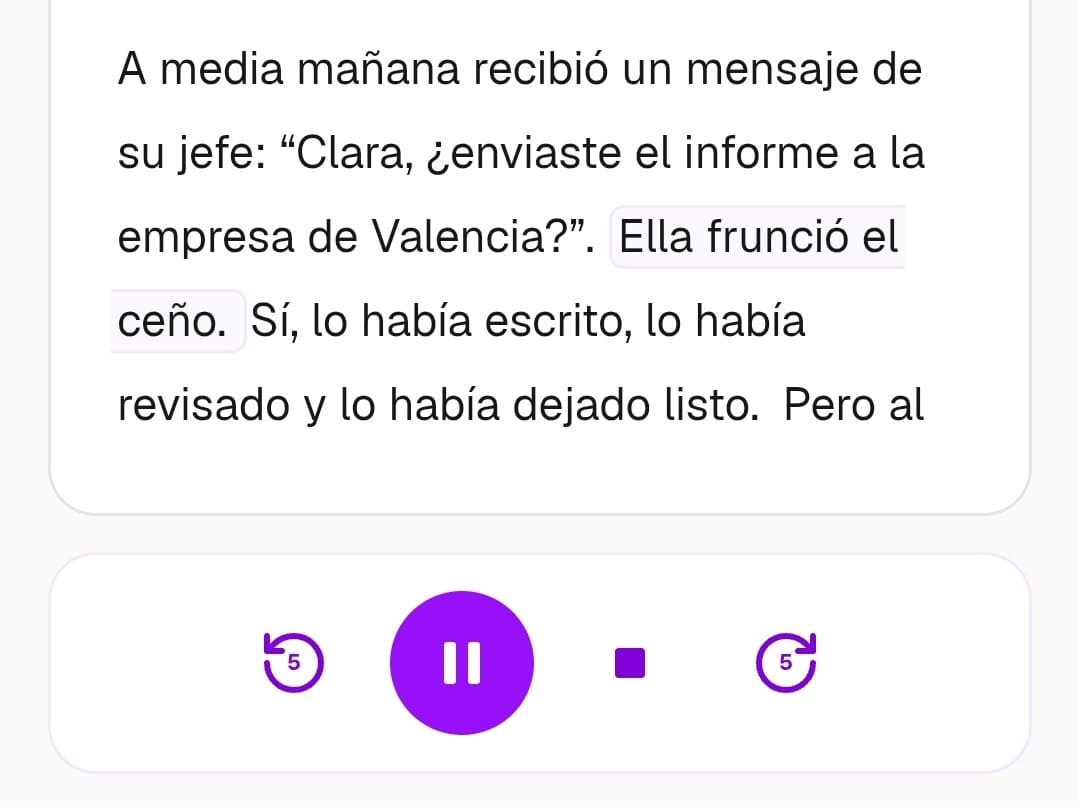
Previously, highlighting was synced at the paragraph level - the entire paragraph would light up as it was being read. That was helpful, but it was still a little too easy to get lost in long paragraphs.
Now, highlighting is synced at the sentence level. As the narrator reads, each sentence is highlighted individually, making it much easier to follow along and connect the spoken audio to the written text.
For language learners, this tighter sync between audio and text makes a real difference. It helps you associate sounds with spelling, follow the rhythm of the language, and stay oriented in longer stories - all of which reinforce the reading experience.
How these features work together
Each of these updates addresses a different part of the language learning journey:
Vocabulary practice --> Turns passive exposure into active recall
Improved audio controls --> Make listening practice smoother and more intuitive
Sentence-level highlighting --> Tighter audio-text sync for better comprehension
Together, they make Volitude a more well-rounded tool for learning a language through reading - not just by exposing you to new words and stories, but by helping you retain what you learn and follow along more effectively when listening.
The core idea hasn't changed: the best way to learn a language is to spend time with content you genuinely enjoy. These features are here to support that, not replace it.
What's next?
We're continuing to improve Volitude based on the feedback you share with us. Every email, every suggestion, and every bug report helps shape what we build next.
If there's something you'd like to see - whether it's a new feature, a tweak to an existing one, or an idea for making the reading experience even better - we'd love to hear from you. Reach out anytime at volitudeapp@gmail.com.
And if you haven't tried reading a story yet, there's no better time to start. Start reading today and see how learning a language through short stories can feel less like studying and more like something you actually want to do.